
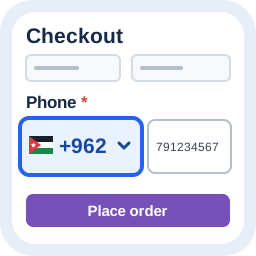
How to Add Country Codes to WordPress Phone Fields
Add a searchable country selector, preserve pasted international prefixes and try the Free phone-field workflow before using it on your WordPress site.
Make the calling code visible while visitors type
A phone field alone does not always explain which calling code is expected. Alharthiweb Phone Country Code adds a searchable country selector beside ordinary telephone fields and keeps explicit international prefixes intact.
This guide uses Free 1.8.7 and synthetic examples. It covers country selection, favorite countries, safe input normalization and the local settings preview. It does not verify that a number exists, belongs to the visitor or can receive an SMS.
1. Install Free and open the local preview
- Install Alharthiweb Phone Country Code from its official WordPress.org listing and activate it. Keep only one edition active.
- Open Settings > Phone Country Code.
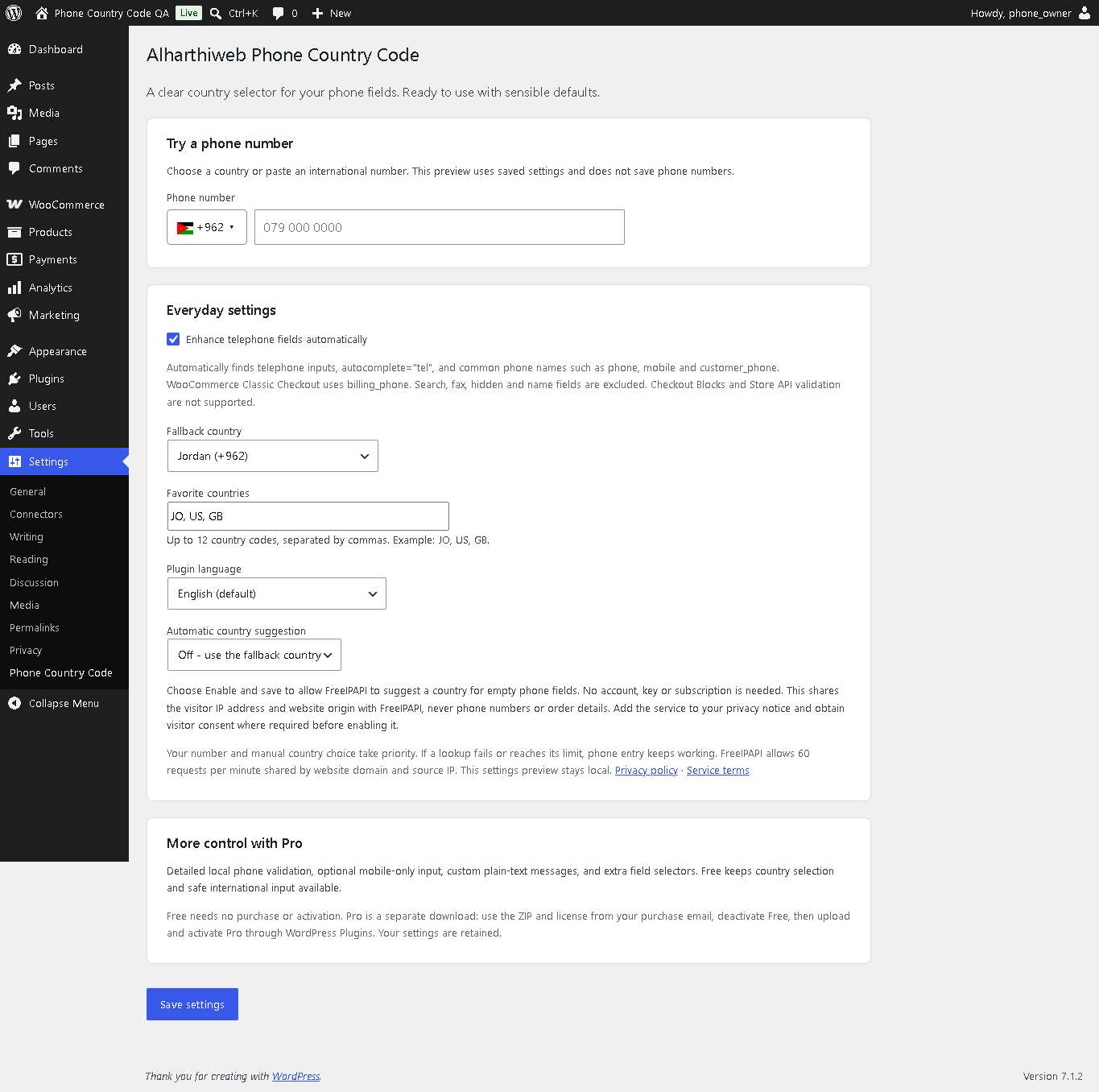
- Use Try a phone number to choose a country or paste an international number. This preview uses saved settings and does not save phone numbers.
The current release requires WordPress 6.7 and PHP 8.1 or later. Free phone controls work without a paid license or an optional Freemius account; choose Skip if you do not want to connect.
2. Choose a fallback and favorite countries
Keep Enhance telephone fields automatically enabled. Set a fallback country for an empty field and add the favorite country codes useful to your audience, using the format shown in settings. Save settings, then try the preview again.
The plugin recognizes telephone inputs, telephone autocomplete and common phone-field names. WooCommerce Classic Checkout uses billing_phone. Search, fax, hidden, disabled, read-only and name fields are not treated as ordinary editable phone fields.
3. Test local entry and an international paste
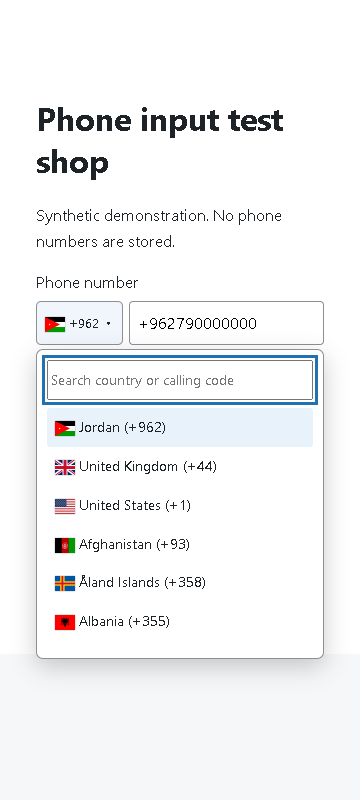
- Open the country list, search for a country and select its calling code.
- Enter a synthetic local number and leave the field to inspect the normalized value.
- Select a different country, then paste a synthetic number beginning with + or 00. The explicit international prefix should take priority.
- Check that the field keeps one international prefix. A deliberate manual country change remains available.
Do this on the actual form your visitors use, on desktop and mobile. The Free edition handles input normalization; it does not perform detailed number validation. The form or WooCommerce controls saving and submission.
4. Check the supported checkout and privacy settings
WooCommerce integration supports Classic Checkout. Checkout Blocks and the Store API are not supported in this release. Additional selectors do not turn an unsupported checkout into a supported one.
Country data and core phone handling are local. Automatic IP country suggestion is optional and off by default. Enable it only after reviewing the provider disclosure in settings; it sends the visitor’s IP and normal connection information to FreeIPAPI, not phone numbers or order details. The settings preview stays local.
If the selector does not appear, confirm enhancement is enabled, check that the field is an editable phone field and reload the relevant form. Test compatibility if another plugin replaces the input or checkout. Saved orders are not rewritten by this setup.
Free input handling and the Pro feature preview
Free provides country names, flags, calling codes, search, favorites, keyboard controls and safe input normalization. Pro adds local format validation, optional mobile-only checks, additional selectors and custom messages. These validation tools are not included in Free.
The video below was recorded with 1.8.4 and reviewed against the demonstrated Free workflow in 1.8.7. It is the original recording. The section from 0:56 is explicitly a Pro evaluation preview, not an announcement that Pro is available to buy. No OTP, ownership verification or SMS service is provided.
Frequently asked questions
Do I need WooCommerce?
No. Ordinary telephone fields can use the selector. Server-side normalization is specifically integrated with Classic Checkout billing_phone.
Does a pasted 00 prefix override the selected country?
Yes. An explicit international prefix takes priority over automatic suggestions and a previous country selection.
Does Free reject every invalid number?
No. Free normalizes input. Detailed format checks belong to the separate Pro functionality, and format validity still does not prove ownership or reachability.
Does it support Checkout Blocks?
No. Use the supported Classic Checkout flow for the documented WooCommerce integration.
Are the example numbers customer data?
No. Screenshots and the demonstration use synthetic test data.
Watch the Phone Country Code demonstration
The player connects to YouTube only when you load it. Watch on YouTube ↗
Reviewed against Free 1.8.7 on 28 October 2026. Screenshots are from the published plugin listing.