BUILT FOR YOUR WORDPRESS WORKFLOW
Alharthiweb Phone Country Code
Help visitors choose a country and enter international phone numbers with searchable calling codes, useful defaults and clear input controls.
Start with Free. Explore Pro when you need more.
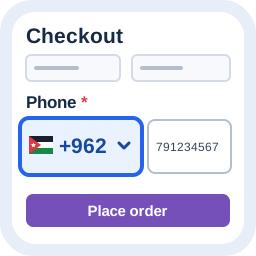
VIDEO DEMO
See the workflow. Then make it yours.
Watch a practical demonstration of the plugin before you install.
Watch the demonstration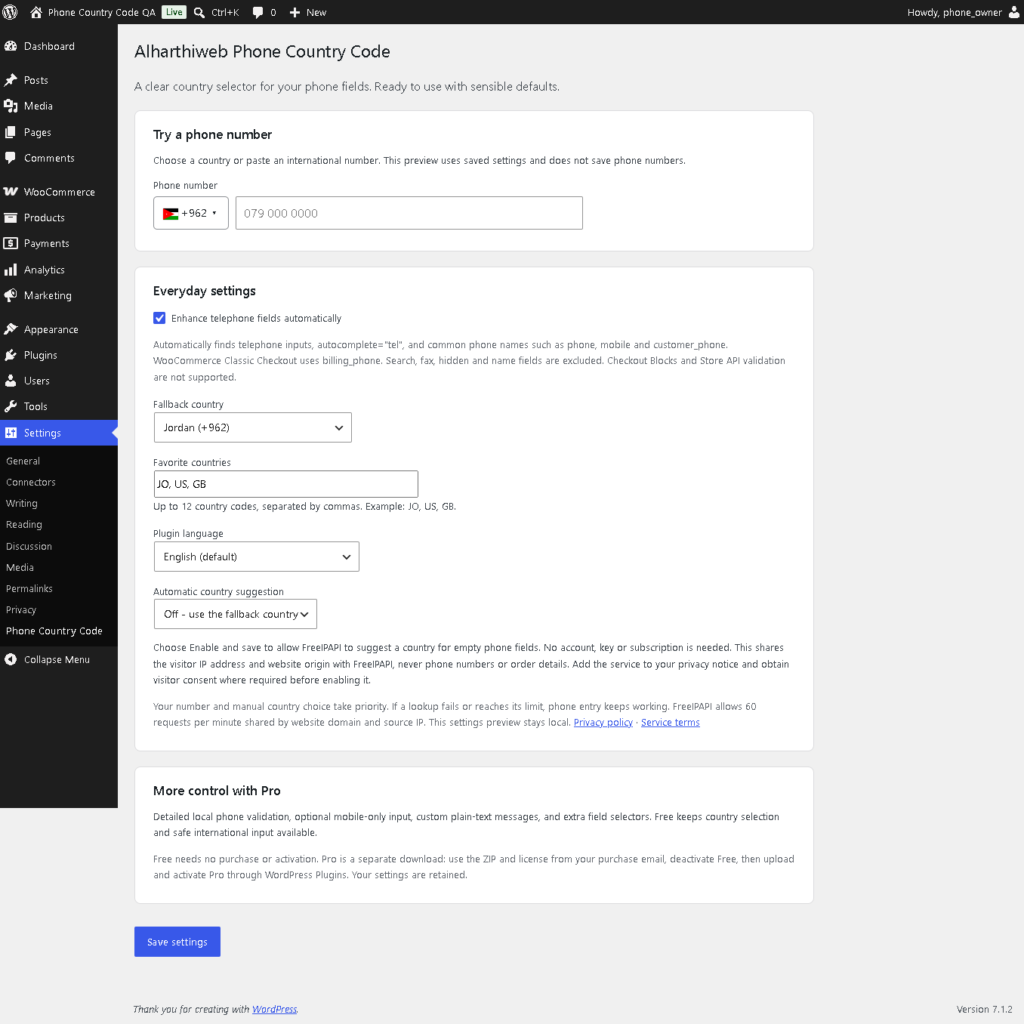
FEATURES
Less setup. More useful work.
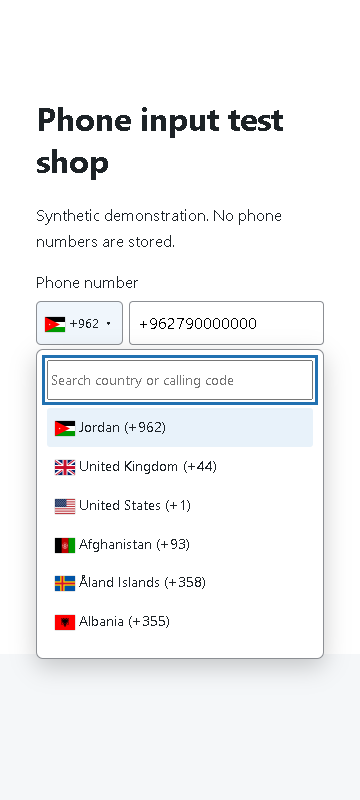
Search countries and calling codes
Give visitors a clear country picker beside telephone inputs.
Preserve explicit prefixes
Handle pasted + or 00 international prefixes without duplicating the calling code.
Choose useful defaults
Set a fallback country and favorites for your audience.
Support different digit styles
Normalize Arabic and Persian digits during phone entry.
Keep the core local
Use bundled country data with external IP suggestion off by default.
Test on your own forms
Try the local preview, then verify the actual editable telephone field.
SCREENSHOTS
A closer look at the real plugin.
FREE / PRO
Choose what your workflow needs.
| Feature | Free | Pro |
|---|---|---|
| Country picker, search, favorites and normalization | Included | Included in the separate edition |
| Detailed format checks and mobile-only option | Not included | Additional controls; checkout not offered here |
| Extra field selectors and custom messages | Not included | Additional controls; separate package |
| OTP, ownership verification and Checkout Blocks | Not supported | Not supported |
Make international phone entry easier to understand
Alharthiweb Phone Country Code places country names, flags and calling codes beside ordinary telephone fields. Visitors can search for a country, use your favorites or paste an international number. An explicit international prefix takes priority over an earlier country selection.
The Free edition normalizes input; it does not provide detailed number validation or prove that a number exists, belongs to a visitor or can receive an SMS.
Try the workflow before using it on a live form
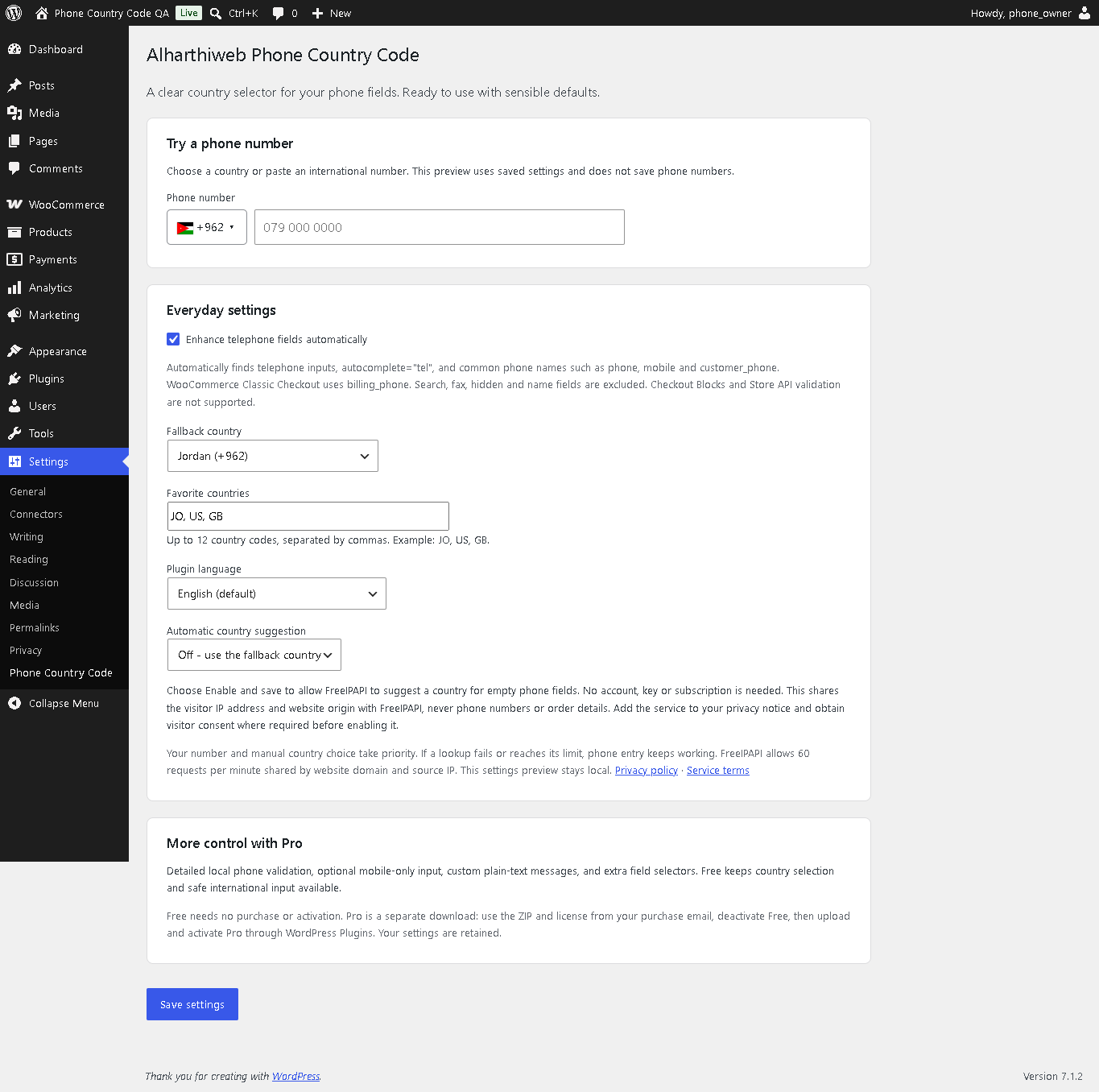
- Install Free from WordPress.org and open Settings > Phone Country Code.
- Keep automatic telephone-field enhancement enabled, choose a fallback and save your favorite countries.
- Use the local preview, then test the actual form on desktop and mobile.
- For WooCommerce, use the supported Classic Checkout integration. Checkout Blocks and Store API validation are not supported.
Read the phone-field setup guide for the full walkthrough. These real screenshots use synthetic examples, not customer records.
Local by default
Country data and core input handling are bundled with the plugin. Optional IP-based country suggestion is off by default and has its own disclosure in settings. It is not needed for the basic country selector.
Free and separate Pro functionality
Free covers selection and normalization. The separate Pro package adds format checks and extra controls; those tools do not provide OTP or ownership verification. Public checkout is not offered on this page. Start with Free without a license.
COMMON QUESTIONS
A few things worth knowing.
Does it require WooCommerce?
No. The selector enhances ordinary telephone fields. The documented WooCommerce integration is specifically for Classic Checkout billing_phone.
Does Free reject all invalid numbers?
No. Free handles selection and normalization. Detailed format validation belongs to the separate Pro functionality; format validity still does not prove existence or ownership.
Does it support Checkout Blocks?
No. Checkout Blocks and Store API validation are not supported. Adding field selectors does not change this limitation.
Does it rewrite saved orders?
No. The setup does not rewrite phone numbers in existing orders.
Are external services required?
No service is needed for normal selection and normalization. Optional IP country suggestion is off by default; review its disclosure before enabling it.
PLUGIN DETAILS
Version and compatibility
- Version
- 1.8.7
- WordPress minimum
- 6.7
- Tested with WordPress
- 7.1.4
- PHP minimum
- 8.1
- WooCommerce minimum
- 9.8 (optional; Classic Checkout only)
Changelog
1.8.7
Public Free release: remove development build scripts from the installable package while retaining readable runtime source. See WordPress.org for the full history.